YouTube Music ReVanced Advanced Morphe v9.15.51 [anddea v4.3.0-dev.3]
Requirements: 8.0+
Overview: YouTube Music ReVanced Advanced Morphe is a patched version of YouTube Music app with adfree music, background play capability and more.
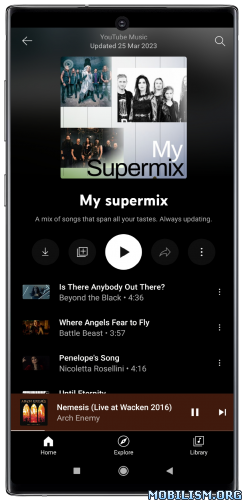
✨ Features: ✨
⭐ Bitrate default value ➠ Sets the audio quality to ‘Always High’ when you first install the app.
⭐ Bypass image region restrictions ➠ Adds an option to use a different host for static images, so that images blocked in some countries can be received.
⭐ Certificate spoof ➠ Enables YouTube Music to work with Android Auto by spoofing the YouTube Music certificate.
⭐ Change share sheet ➠ Adds an option to change the in-app share sheet to the system share sheet.
⭐ Change start page ➠ Adds an option to set which page the app opens in instead of the homepage.
⭐ Custom branding for YouTube Music ➠ Adds in-app app-name, launcher-icon, header, splash, and settings-icon selection.
⭐ Disable Cairo splash animation ➠ Adds an option to disable Cairo splash animation.
⭐ Disable QUIC protocol ➠ Adds an option to disable CronetEngine’s QUIC protocol.
⭐ Disable dislike redirection ➠ Adds an option to disable redirection to the next track when clicking the Dislike button.
⭐ Disable forced auto audio tracks ➠ Adds an option to disable audio tracks from being automatically enabled.
⭐ Disable forced auto captions ➠ Adds an option to disable captions from being automatically enabled.
⭐ Disable music video in album ➠ Adds option to redirect music videos from albums for non-premium users.
⭐ Enable debug logging ➠ Adds an option for debugging.
⭐ Enable landscape mode ➠ Adds an option to enable landscape mode when rotating the screen on phones.
⭐ Flyout menu components ➠ Adds options to hide or change flyout menu components.
⭐ GmsCore support ➠ Allows the app to work without root by using a different package name when patched using a GmsCore instead of Google Play Services.
⭐ Hide account components ➠ Adds options to hide components related to the account menu.
⭐ Hide action bar components ➠ Adds options to hide action bar components and replace the offline download button with an external download button.
⭐ Hide ads ➠ Adds options to hide ads.
⭐ Hide layout components ➠ Adds options to hide general layout components.
⭐ Hide overlay filter ➠ Removes, at compile time, the dark overlay that appears when player flyout menus are open.
⭐ Hide player overlay filter ➠ Removes, at compile time, the dark overlay that appears when single-tapping in the player.
⭐ Navigation bar components ➠ Adds options to hide or change components related to the navigation bar.
⭐ Player components ➠ Adds options to hide or change components related to the player.
⭐ Remove background playback restrictions ➠ Removes restrictions on background playback, including for kids videos.
⭐ Remove viewer discretion dialog ➠ Adds an option to remove the dialog that appears when opening a video that has been age-restricted by accepting it automatically. This does not bypass the age restriction.
⭐ Restore old style library shelf ➠ Adds an option to return the Library tab to the old style.
⭐ Return YouTube Dislike ➠ Adds an option to show the dislike count of songs using the Return YouTube Dislike API.
⭐ Return YouTube Username ➠ Adds an option to replace YouTube handles with usernames in comments using YouTube Data API v3.
⭐ Sanitize sharing links ➠ Adds an option to sanitize sharing links by removing tracking query parameters.
⭐ Settings for YouTube Music ➠ Applies mandatory patches to implement ReVanced Extended settings into the application.
⭐ SponsorBlock ➠ Adds options to enable and configure SponsorBlock, which can skip undesired video segments, such as non-music sections.
⭐ Spoof app version for lyrics ➠ Adds options to spoof the YouTube Music client version. This can be used to restore old lyrics UI.
⭐ Translations for YouTube Music ➠ Add translations or remove string resources.
⭐ Theme ➠ Changes the app’s dark theme to the values specified in patch options.
⭐ Video playback ➠ Adds options to customize settings related to video playback, such as default video quality and playback speed.
⭐ Visual preferences icons for YouTube Music ➠ Adds icons to specific preferences in the settings.
⭐ Watch history ➠ Adds an option to change the domain of the watch history or check its status.
★★★ YouTube Music ReVanced Advanced Morphe compiled by derrin ★★★
➤ ReVanced Advanced Morphe anddea mpp v4.3.0-dev.3
– Bug Fixes
● YouTube & YouTube Music – Custom branding: App disappeared from recent apps screen when custom icon was selected (56da447)
● YouTube & YouTube Music – Theme: Theme was not always applied to the splash screen (53966bd)
– Features
● YouTube & YouTube Music – Custom branding: Make existing Splash screen style for YouTube and Disable Cairo splash animation for YT Music work for custom selected app icons (4b9e566)
● YouTube & YouTube Music – Custom branding: Support dynamic optional files in user-provided custom icon folders (8f11517)
● YouTube & YouTube Music – Spoof video streams: Make TV Simply available in signed-out or incognito mode by generating a PoToken (d1a2959)
● YouTube & YouTube Music – Theme: Add Splash animation size setting (a75e79f)
● YouTube & YouTube Music: Remove Material You patch, merge it with Theme patch (a8eb12c)
● YouTube Music – Flyout menu components: Add Override Download menu setting (deb3fdc)
● YouTube Music – Player components: Add Change navigation bar color setting (fdac1be)
➠ It’s based on the latest ReVanced Advanced Morphe anddea mpp features, bug fixes and optimizations for YouTube Music app (with Return Youtube Dislike, SponsorBlock and ReVanced Extend settings).
➠ Applied patches:
![Niagara Launcher ‧ Home Screen v1.16.20 build 1624 [Pro]](https://images.mobilism.org/?dm=M85ZZP5Y "Niagara Launcher ‧ Home Screen v1.16.20 build 1624 [Pro]")
![Storybeat – Stories with Music v3.3.5 [Pro] APK](;https://apkmagic.com.ar/wp-content/uploads/2021/06/09/Storybeat-v305-Pro.png "Storybeat – Stories with Music v3.3.5 [Pro] APK")
![Opera Browser: Fast and Private v66.2.3445.62346 [Mod] APK](;https://apkmagic.com.ar/wp-content/uploads/2021/10/12/Opera-Browser-Fast-and-Private-v651338161266-Mod.png "Opera Browser: Fast and Private v66.2.3445.62346 [Mod] APK")
